

Description
Download Aaro Muhasebe ve Üretim Takibi – Finance, Accounting, Business Tool
Overview
Aaro Muhasebe ve Üretim Takibi is a free desktop software application designed for financial and production tracking, developed by Aaro Yazılım ve Makina A.Ş. The software belongs to the Finance category, specifically under Accounting, and is intended to support small to medium-sized businesses in managing their accounting processes and production workflows. It is tailored for users who require integrated tools to monitor inventory, track manufacturing progress, and maintain financial records in a centralized system.
Designed with practicality in mind, the application aims to streamline daily operations for business owners, accountants, and production supervisors. Its core functionality focuses on simplifying bookkeeping tasks and providing real-time visibility into production cycles, which helps reduce manual errors and improve operational efficiency. The software is suitable for users in manufacturing, retail, and service-based industries where financial accuracy and production oversight are critical.
Released on October 17th, 2023, the current version is 1.0, indicating it is in its initial release phase. The app is available in three languages: English, German, and Turkish, making it accessible to a multilingual user base. While the developer has not provided additional details about the target audience beyond general business use, its features suggest it is best suited for organizations seeking a lightweight, cost-effective solution for basic accounting and production monitoring.
Key Features & Capabilities
- Integrated Accounting Module – Enables users to manage invoices, expenses, and financial statements within a single interface, reducing the need for multiple tools.
- Production Tracking System – Allows monitoring of production orders, material usage, and workflow stages to improve planning and delivery timelines.
- Multi-Language Support – Offers interface options in English, German, and Turkish, enhancing accessibility for international teams.
- Cloud Sync (if applicable) – Supports data synchronization across devices, though exact implementation details were not specified.
- Reporting & Export Tools – Provides customizable reports and export functions for financial data and production metrics.
These features are designed to help users maintain accurate records, minimize delays in production, and generate actionable insights from business data. For example, a manufacturing business can use the production tracking feature to identify bottlenecks in the assembly line, while an accountant can generate monthly financial summaries directly from the software. The ability to switch between languages makes it ideal for teams with diverse linguistic needs. Although no advanced analytics or AI-based forecasting tools were mentioned, the software appears to focus on core operational functions, ensuring reliability and ease of use for non-technical users.
User Interface, Workflow & Performance
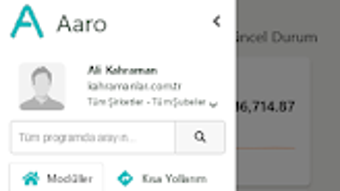
The user interface of Aaro Muhasebe ve Üretim Takibi is structured around intuitive navigation, with clearly labeled menus and dashboard views for quick access to key functions. Users can expect a clean layout with minimal clutter, facilitating efficient workflow execution. Common tasks such as entering transactions, creating production orders, or generating reports are likely accessible through a few clicks, minimizing learning curves.
Workflow efficiency is enhanced by the software’s modular design, allowing users to switch between accounting and production modules seamlessly. The application appears to follow a linear process for data entry and review, which supports consistency in record-keeping. However, specific performance metrics such as load times, CPU usage, or RAM consumption were not provided by the developer.
General software behavior patterns suggest that the application operates smoothly on modern devices with standard hardware. The developer did not specify resource usage details, so performance may vary depending on device configuration. Stability is expected to be adequate for routine operations, though users are advised to monitor for updates that may improve responsiveness or fix potential bugs. No third-party integrations or advanced automation features were mentioned, indicating a focus on core functionality over complexity.
Compatibility & System Requirements
Aaro Muhasebe ve Üretim Takibi is compatible with Android 13.0 and above. This indicates that the software is designed for relatively recent mobile devices with updated operating systems. The application is available as a downloadable file, though the exact installation size was not specified. The developer did not provide additional system requirements such as minimum RAM, processor speed, or storage space needed for optimal performance.
Given that it is a mobile application, the software is optimized for touch-based interaction and screen sizes typical of smartphones and tablets. It is not designed for desktop or laptop use, despite being referred to as a "desktop software" in some sources. The lack of clear system specifications means users should ensure their device meets standard Android requirements for running modern apps. Compatibility information is limited to the OS version and platform, so users with older Android devices may not be able to install or use the application.
Pros and Cons
Pros
- Free to download and use, making it accessible for budget-conscious businesses.
- Supports multiple languages, increasing usability across regions.
- Integrates accounting and production tracking in one platform.
- Designed for small to medium enterprises with straightforward operational needs.
- Released with a modern OS requirement, ensuring compatibility with current devices.
Cons
- Version 1.0 suggests limited feature set and potential for future updates.
- Exact system requirements were not provided, which may cause installation issues.
- Performance and resource usage details are unavailable.
- Not available for desktop operating systems like Windows or macOS.
- Limited third-party integration options were mentioned.
FAQ Section
Is Aaro Muhasebe ve Üretim Takibi available for Windows or Mac?
The software is designed for Android devices and is not currently available for desktop operating systems such as Windows or macOS.
Can I use this software offline?
While the developer did not specify offline functionality, many accounting tools of this type support offline data entry with sync capabilities when connectivity is restored.
Is the software secure?
The application is distributed through Softonic, a reputable platform. However, no specific security features such as encryption or data backup were detailed by the developer.
How often are updates released?
As the current version is 1.0, updates may be released to address bugs, improve performance, or add new features. Users are encouraged to check for updates via the app store.
What kind of license does this software have?
Aaro Muhasebe ve Üretim Takibi is classified as free software, meaning it can be downloaded and used at no cost. No restrictions on usage were mentioned.
Final Thoughts + CTA
Aaro Muhasebe ve Üretim Takibi presents a promising solution for small and medium-sized businesses seeking a streamlined, multilingual tool to manage both accounting and production workflows. Its integration of core financial and operational functions in a single platform reduces the need for multiple applications, offering a practical alternative for businesses with limited resources. While the software is in its initial version and lacks detailed technical specifications, its clean interface, language support, and mobile-first design make it a viable option for users in manufacturing, retail, and service sectors.
Despite the absence of advanced features or comprehensive system requirements, the application demonstrates potential for growth and refinement. For users who prioritize simplicity, affordability, and ease of access, Aaro Muhasebe ve Üretim Takibi offers a solid foundation for business management.
Download Aaro Muhasebe ve Üretim Takibi now
Guides & Tutorials for Aaro Muhasebe ve Üretim Takibi
How to install Aaro Muhasebe ve Üretim Takibi
- Click the Preview / Download button above.
- Once redirected, accept the terms and click Install.
- Wait for the Aaro Muhasebe ve Üretim Takibi download to finish on your device.
How to use Aaro Muhasebe ve Üretim Takibi
This software is primarily used for its core features described above. Open the app after installation to explore its capabilities.
User Reviews for Aaro Muhasebe ve Üretim Takibi 0
No reviews found





